


National Casino on Mobile in New Zealand
National Casino reaches Kiwi phones through a Progressive Web App, or PWA, installed from the operator’s official website. It creates a dedicated home-screen icon without asking the player to locate a regional store listing or download an Android executable.
The setup incentive starts immediately: adding the PWA and opening it from the new icon awards 10 Free Spins without a deposit. Permission for push notifications releases another 10 and creates a direct channel for Secret Reload announcements, short promotions and tournament reminders.
The installed interface carries more than 3,000 pokies, RNG tables, live-dealer rooms, account controls and the NZD cashier. It uses the same login as the desktop site, so balances, KYC status and active rewards remain attached to one profile.

Place the NZ Web App on a Home Screen
Installation is completed inside the browser on the verified National Casino domain. The PWA avoids third-party APK repositories and country changes in a store account, while updates arrive from the live platform when it opens.
Android Setup in Chrome
Chrome provides the shortest route on Android. Keep installation from unknown sources switched off, then use the browser’s own home-screen option:

- Open the official National Casino website in Google Chrome.
- Sign in to an existing profile or finish creating a New Zealand account.
- Open Chrome’s menu and select “Add to Home screen” or the installation prompt shown by the browser.
Confirm the shortcut and wait for the National icon to appear. Launching it for the first qualifying session triggers the 10 Free Spins installation reward, subject to the terms displayed in the promotion.
Safari Setup on iPhone and iPad
Apple users can add the PWA through Safari without changing the region connected to their Apple ID. The relevant control sits inside the Share menu:

- Visit National Casino’s official site in Safari and log in.
- Tap the Share symbol, then choose “Add to Home Screen”.
- Review the shortcut name, press “Add” and open National from the new icon.
The shortcut starts the mobile platform in an app-like window. It reconnects to the existing NZD account instead of creating a second wallet or separate mobile registration.



What Changes After the PWA Is Added
The PWA packages the full service into a touch-oriented layout rather than reducing it to a pokies launcher. Banking, verification, promotions and support stay available alongside the game lobby.
Lightweight Delivery and Automatic Updates
Most resources are fetched online, so the PWA needs only limited local space for its icon and browser cache. There is no large installation package or recurring manual download, although games and live video still consume mobile data while in use.

Pokies, Tables and HD Dealer Streams
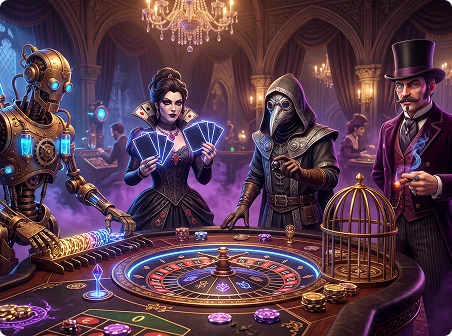
The mobile lobby includes 3,000+ pokies plus RNG table games and streamed live casino content. HD dealer video is supported on compatible titles; its clarity and latency depend on signal strength, network congestion and the device’s current browser performance.
A Second Mobile Reward for Alerts
Enabling push notifications adds 10 more no-deposit Free Spins after the installation bonus. Alerts can flag private reload cards, closing tournament timers and newly released pokies, and they can be disabled later through the phone’s settings.
NZD Payments from the Same Screen
Players can open the cashier, make NZD deposits and submit withdrawal requests without moving to a desktop computer. Available methods can include conventional channels and cryptocurrencies; blockchain speed depends on network confirmation, and crypto use does not remove KYC checks.
No APK File to Track or Replace
National Casino distributes this mobile experience as a browser-installed PWA rather than an APK. Staying on the verified operator domain reduces exposure to unofficial files that could imitate a login page, redirect a payment or carry malicious code.

Browser and Device Considerations
A current HTML5 browser is more important than owning the newest handset. Chrome handles Android installation, Safari supplies the Apple home-screen command, and other updated browsers can still open the responsive website.
No NZ-specific operating-system cutoff is confirmed in the supplied facts. A device that receives browser security updates is a safer benchmark than publishing an unsupported Android or iOS version number.
The PWA retains a small cache but does not eliminate storage use entirely. Clearing that cache may free space, while removing the icon leaves the underlying National Casino account untouched.
Mobile data consumption varies by activity. Account pages and simple pokies generally use less bandwidth than HD live-dealer streams, so players outside stronger coverage areas may prefer lower-resolution video or Wi-Fi.
- Samsung
- Google Pixel
- Xiaomi
- Motorola
- OnePlus
- Oppo
- Nokia
- iPhone
- iPad
Keeping Chrome or Safari current helps payment authentication, encrypted sessions and newer game builds load correctly.
A steady connection matters most at live tables because the video and betting interface must remain synchronized with the current round.
Touch controls resize for compact phones, foldable screens and tablets, with both portrait and landscape support where the individual game allows it.
The PWA opens from its own icon in a focused window, while server-side updates keep the lobby and promotions current without a store visit.
Push delivery also depends on operating-system permissions. If an alert does not arrive, check notification access for the installed web app before reinstalling it.
Use the Mobile Site Without Adding an Icon
The responsive website remains available to players who prefer a normal browser tab. It connects to the same profile and provides the same core account functions without a home-screen installation.
Registration, KYC upload, bonus selection, NZD deposits and withdrawal requests can all be managed from a phone. A desktop session is not required for routine account administration.
This route is also useful on a managed or older device that blocks PWA installation. Players should still use the official domain rather than a mirror download page offering an APK.
Navigation is arranged for touch, with prominent access to the cashier, promotions, game search and account menu on narrow screens.
From the mobile browser, a player can:

- Create a National Casino account for New Zealand.
- Log in and update permitted profile fields.
- Photograph and submit documents for KYC review.
- Access the NZD cashier for payments and payout requests.
- Select an available bonus before making the qualifying deposit.
- Browse pokies, RNG tables and live-dealer rooms.
- Search by title, category or game provider.
- Contact the 24/7 support team through live chat.
- Request deposit limits or account self-exclusion.
Pokies scale to the available screen, and compatible live tables enlarge betting controls for touch input. Rotating the phone can switch the layout without ending the signed-in session.
Web delivery makes lobby and cashier changes visible after the refreshed page loads. It removes the need to wait for a separate store update package.
The responsive version works across several common form factors:

- Compact smartphones used mainly in portrait mode.
- Large-screen phones and foldable handsets.
- Android tablets, iPads and comparable touch devices.
- Older hardware that can still run a maintained secure browser.
Questions About National Casino Mobile Access in NZ
Which Games Are Available in the PWA?
How Is National Casino Added to a Phone?
Can a New Player Register on Mobile?
Is a National Casino APK Needed?
What If the Install Command Is Missing?
Responsible Play from a Mobile Account
Always-on access makes advance limits especially important. National Casino’s mobile profile supports the same account controls used on desktop, and players can ask 24/7 live chat to apply a deposit limit or self-exclusion directly from the phone.
- Decide on a spending cap before opening a game.
- Do not increase stakes in an attempt to recover earlier losses.
- Remember that no pokies result or live-table outcome is guaranteed.
- End the session at the planned time and treat play as entertainment.
