


National Casino Ireland Mobile Guide: An Installable PWA in EUR
National Casino provides its Irish mobile platform as a Progressive Web App rather than a conventional App Store or Google Play download. The PWA is saved from the official website and creates a dedicated icon, allowing the casino to open from the home screen in an app-style window.
This format removes the need for an Android APK and keeps the local installation small. Most games and account pages load through the secure browser connection, while platform changes are applied online instead of arriving as manual software updates.
The PWA connects to the same National Casino account used on desktop. Login details, the EUR balance, active promotions, VIP Comp Points, KYC status and transaction records remain synchronised between devices. The mobile lobby also retains access to more than 5,000 games, including Megaways releases, Bonus Buy Slots and streamed tables from Evolution and Pragmatic Play Live.

Save the Casino to an Irish Phone
Installation begins on the official National Casino domain. Players should not enable Android’s unknown-source setting, download an executable file or change an Apple ID region. Chrome handles setup on Android, while Safari supplies the necessary control on iPhone and iPad.
Android Installation from Chrome
An Android device running an updated version of Google Chrome can add the PWA in a few moments:

- Open Chrome, visit the official National Casino website and sign in to the player account.
- Tap the three-dot “More” menu and choose “Add to Home screen”, or accept the “Install National” prompt if Chrome displays it automatically.
- Confirm the installation and wait for the National icon to appear on the home screen.
The icon launches the current web platform rather than a separate Android account. Removing it does not delete the player profile or balance, and it can be added again from the verified website.
The Safari Route for iPhone and iPad
Apple users must complete the installation through Safari. Chrome and other iOS browsers may open the mobile site but do not always expose the correct home-screen command.

- Launch Safari, visit the official National Casino website and log in or complete the registration form.
- Tap the Share icon in the Safari toolbar and select “Add to Home Screen” from the action list.
- Confirm the name “National”, tap “Add” and open the new icon.
The PWA starts in a focused window and reconnects to the existing EUR account. It does not create a second wallet, a duplicate bonus profile or a separate mobile transaction history.



Inside the Installed Mobile Platform
The home-screen version reorganises the full casino for touch controls rather than offering a cut-down game launcher. The cashier, promotions, profile settings, verification upload and support chat remain available alongside the lobby.
Network-Delivered Performance and Automatic Changes
Most content is fetched when it is needed, so the PWA does not require a large permanent download. Pages, games and menus receive the current build whenever the platform opens, removing the need to approve recurring store updates. Ordinary Slots and account pages place fewer demands on the connection than streamed dealer tables. Closing unused browser tabs can also help an older phone reserve memory for the active game.

A 5,000-Game Catalogue in a Touch Layout
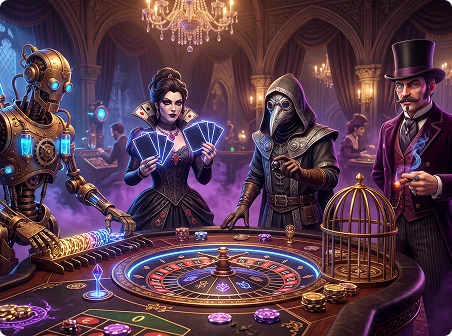
Irish players can browse more than 5,000 Slots, jackpots, RNG tables and Live Casino titles through the installed interface. The selection includes Megaways games, Bonus Buy releases, roulette, blackjack, baccarat, poker and real-time dealer streams. Search, category filters and provider menus are retained on mobile. Compatible titles resize for portrait or landscape play, while live tables use larger betting controls designed for touch input.
Optional Alerts for Time-Sensitive Account Updates
Push notifications can flag expiring promotions, tournament deadlines, new game releases and account messages while the PWA is closed. Alert permission is optional and can be withdrawn later through the device or browser settings. Notifications should always lead back to the official National Casino domain. A message that asks for login details or redirects payment to an unrelated address should be closed rather than followed.
EUR Payments from the Mobile Cashier
The mobile cashier uses the same EUR balance and transaction records as desktop. Irish players can make deposits and request withdrawals without switching to a computer, subject to the methods displayed after login. Available options can include Visa, Mastercard and e-wallets such as Skrill or MiFinity, with eligible deposits processed instantly. Other desktop methods may also appear, but KYC checks, payment ownership rules and withdrawal limits remain unchanged on mobile.
Why the Official PWA Is Safer Than an APK
National Casino does not require an APK package. The official PWA is installed through an HTTPS-encrypted browser session, so Android users can leave sideloading and “Unknown Sources” disabled. Files advertised elsewhere as a “National Casino APK” should be avoided. An unofficial package can imitate the login form, capture account credentials, alter a payment address or install malicious software. The genuine route begins and ends on the operator’s verified website.

Hardware, Software and Data Requirements
The PWA uses HTML5 browser technology and therefore has lighter requirements than many native casino applications. Android 8.0 or later is supported, with Android 10+ recommended, while Apple devices require iOS 13 or iPadOS 13 and above. Two gigabytes of RAM is sufficient for standard RNG Slots and routine account use. Three gigabytes or more is preferable for stable Live Casino streaming, particularly when other applications remain open in the background.
The icon and local browser cache occupy less than 50 MB in ordinary use. Game assets are delivered online, so the application does not store the entire 5,000-title catalogue on the device. Wi-Fi, 4G and 5G can all run the platform. A steady speed of at least 5 Mbit/s is recommended for uninterrupted live video, while browsing, payments and standard Slots normally need less bandwidth.
Supported browsers include Google Chrome, Safari, Firefox and Samsung Internet. Installation works most predictably through Chrome on Android and Safari on iOS. Other current browsers can still open the responsive website even when their PWA controls differ.
The PWA works on Android phones and tablets from manufacturers such as:
- Samsung
- Xiaomi
- Oppo
- Vivo
- Huawei
- OnePlus
- Realme
- Nokia
- Motorola
On Apple hardware, it runs on compatible iPhone and iPad models using current versions of iOS or iPadOS. All devices should continue receiving browser and operating-system security updates.
The layout scales between compact phones, foldable screens and tablets. Buttons, game tiles and cashier forms shift according to available width, and supported games can rotate between portrait and landscape views.
Launching the PWA from its icon produces a full-screen presentation. All account information remains stored server-side, so changing devices does not remove the EUR wallet, VIP level or previous transactions.
Keeping the browser current is essential. Older builds may fail during payment authentication, struggle with newer Slots or lose synchronisation with a live table’s video stream and betting interface.
The Responsive Site as an Alternative
Installing the PWA is optional. The National Casino mobile website adapts to the screen and provides almost every function available through the home-screen version, without saving an icon.
Registration, KYC, promotion selection, EUR deposits and withdrawal requests can all be completed from a browser tab. A desktop computer is not required for routine account management.
This route is useful on an employer-managed device, a phone with installation restrictions or any handset where the PWA prompt does not appear. No replacement APK or unofficial store download is necessary.
Navigation is arranged for one-handed use, with the cashier, lobby, promotions and profile menu positioned for smaller displays. The payment list is determined by the logged-in account rather than the brand or model of the phone.
From the mobile website, a player can:

- Register a National Casino account for Ireland.
- Sign in and update permitted personal details.
- Upload identity and address documents for KYC review.
- Open the EUR cashier for deposits and withdrawal requests.
- Select an eligible promotion before making its qualifying payment.
- Browse Slots, table games and Live Casino streams.
- Search by game title, category or software provider.
- Contact the support team through live chat or email.
- Set deposit and loss limits, apply a session timer or request Self-Exclusion.
Games use responsive layouts rather than separate mobile editions. Slots adjust to the available screen, and compatible live tables enlarge chip selectors and betting areas for touch use.
The web-delivered format also keeps changes immediate. New titles, revised cashier pages and promotion updates appear after the platform refreshes, without a separate installation package.
The responsive site works on several device types:

- Compact smartphones used mainly in portrait orientation.
- Large-screen and foldable phones.
- Android tablets and iPads.
- Older devices capable of running an updated secure browser.
Practical Questions Before Using the PWA
Does the Mobile Lobby Contain the Full Game Range?
What Is the Correct Installation Method?
Can Registration and Verification Be Finished on a Phone?
Is an Android APK Available or Required?
What Happens If the Install Control Is Not Visible?
Safer Mobile Play and Account Controls
Immediate home-screen access makes advance limits particularly important. The mobile account supports deposit limits, loss limits and session timers, while Self-Exclusion can be requested when a complete break is needed.
- Decide on an affordable EUR limit before opening the first game.
- Set an end time rather than extending a session to recover a loss.
- Keep casino play separate from money reserved for bills or essential spending.
- Remember that no Slot feature, Bonus Buy or dealer result is guaranteed.
